Free on Android and the web

Plan the trip together. Settle up after.

Chuni Trip Planner puts your itinerary, map, group chat and shared expenses in one place. When the trip ends, it works out who pays whom.

The Android app does not install on iPhone. Open the web app in Safari, tap Share, then Add to Home Screen.

On iPhone? Use the web app and add it to your Home Screen.

Idukki, Kerala
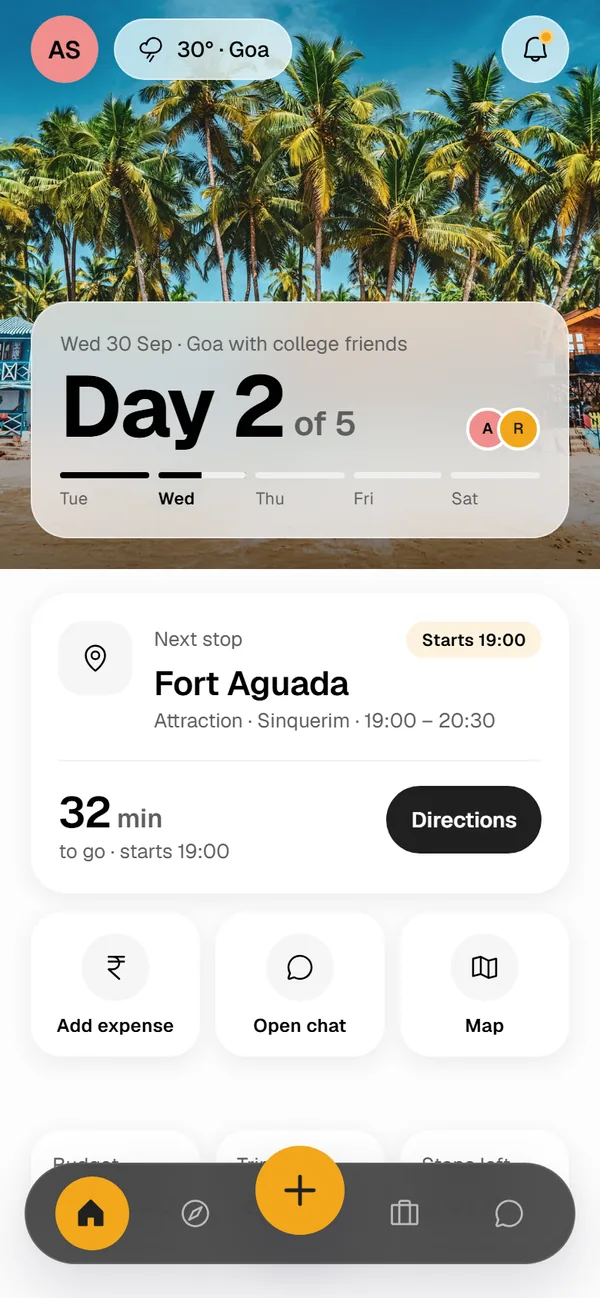
CTP home screen during a trip: Day 2 of 5 in Goa, the next stop Fort Aguada in 32 minutes, and buttons to add an expense, open the chat or the map.

From the first idea to the last payment

Everything a group trip needs, in one app that everyone in the group can use.

Plan day by day, on a map

Search for places and drag them into days. CTP shows the drive or walk time between stops, and can reorder a day for the shortest route. Each day gets its own colour and numbered pins on the map.

  • Travel time and distance between stops
  • Optimise a day's route in one tap
  • Changes show up live for everyone on the trip
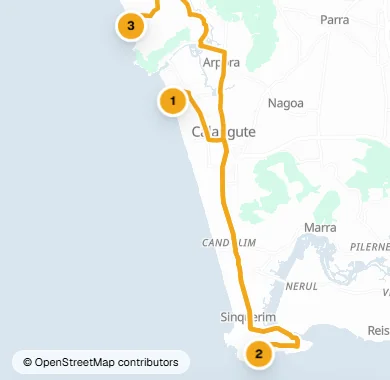
Map of North Goa with a marigold route line joining three numbered stops for Day 1.
Day 1 · 3 stops · 26 km
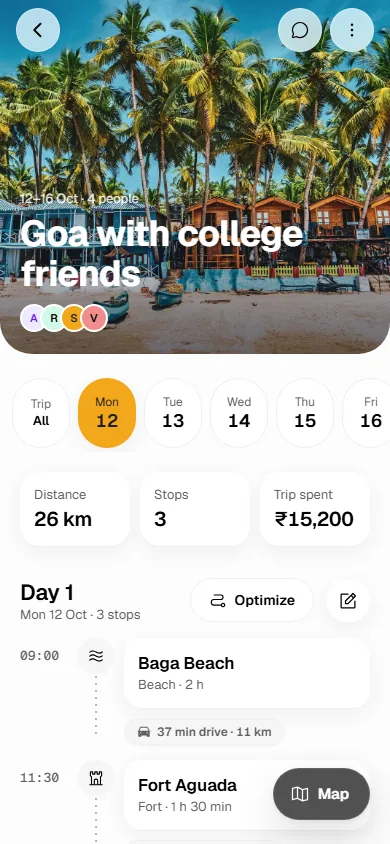
Trip screen for Goa with college friends: a day selector, stats for distance, stops and money spent, and a timeline of stops with drive times between them.

One group for everyone on the trip

Every trip comes with its own group chat. Share photos, files and your location, reply to a message, and see each new expense appear in the thread. Invite people with a link and choose who can edit the plan.

  • Group chat and direct messages
  • Invite links with Editor and Viewer roles
  • Expense updates posted to the chat
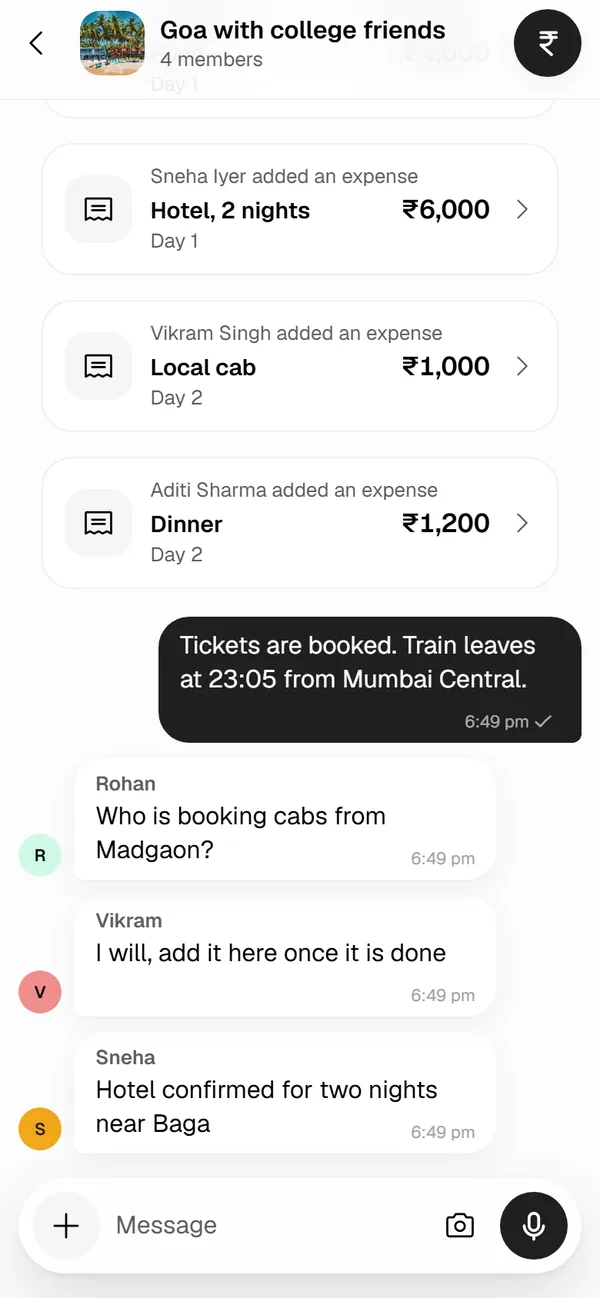
Group chat for Goa with college friends: expense cards for a hotel, a cab and dinner, then messages about train tickets and cabs.

Split costs, then settle up once

Anyone in the group can add an expense and split it equally, by exact amounts or by shares. When the trip ends, CTP works out who pays whom with the fewest payments. It never touches your money: each person marks a payment as paid or received.

  • Budget, spending and balances at a glance
  • A payment plan with the fewest transfers
  • Status for every payment, from pending to received
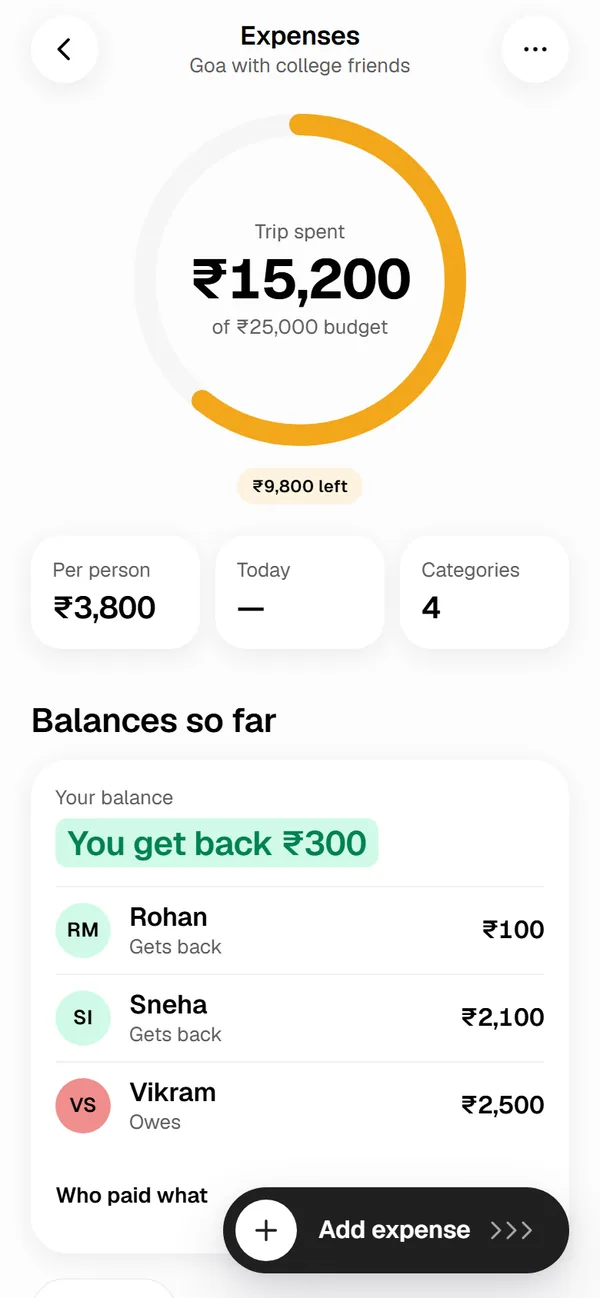
Expenses screen: ₹15,200 spent of a ₹25,000 budget, ₹3,800 per person, and balances showing you get back ₹300.

Plan with CTP, the planning assistant

Tell the assistant where you are going, for how long, your pace and budget. It drafts a day-by-day plan you can save as a trip or change. Every place it suggests is checked against the map, so nothing made up ends up in your plan.

  • Day-by-day drafts from a short brief
  • Fill an empty day in a trip you already have
  • Free, with a monthly request limit
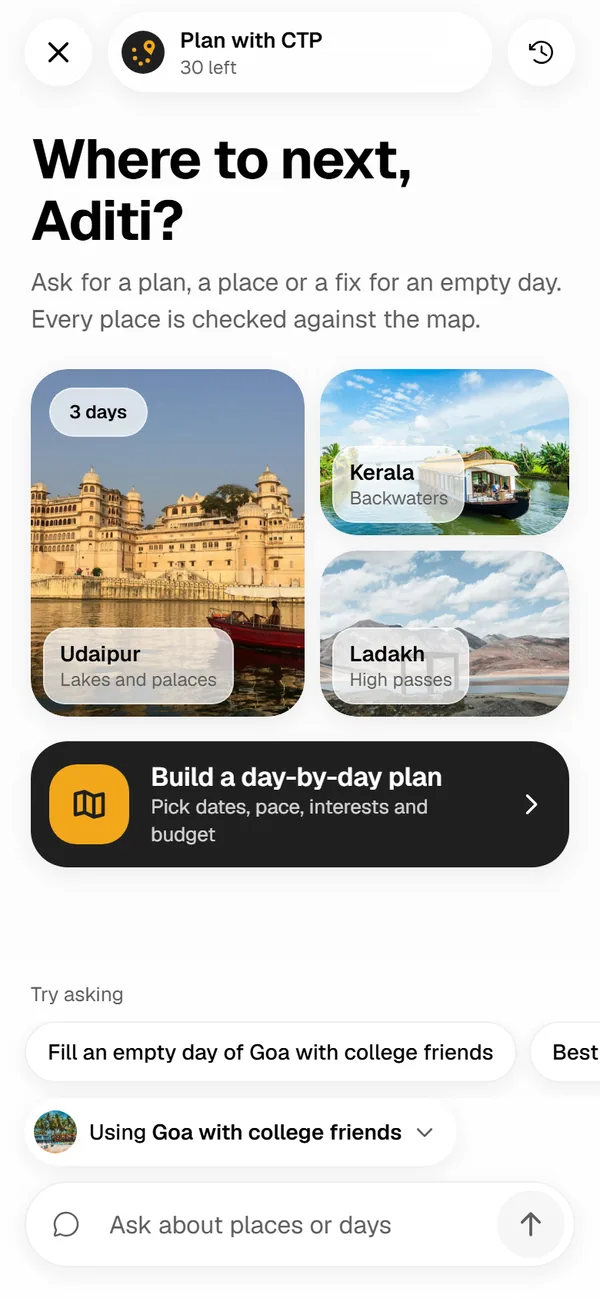
Plan with CTP welcome screen with suggested destinations Udaipur, Kerala backwaters and Ladakh, and a button to build a day-by-day plan.
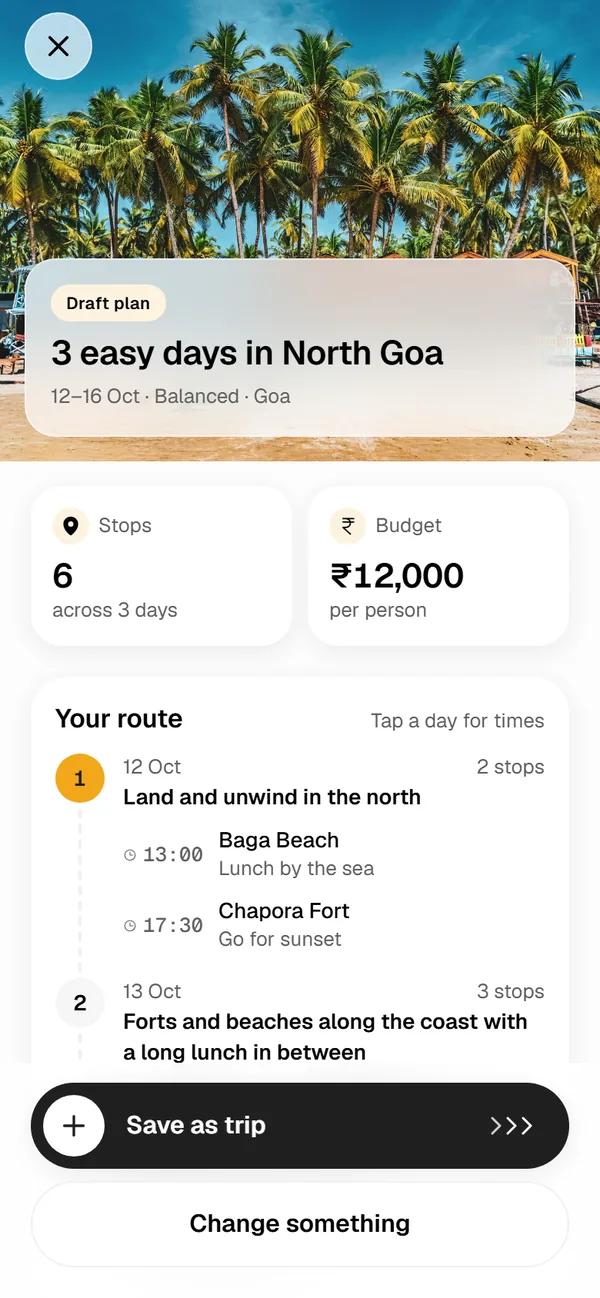
A draft plan titled 3 easy days in North Goa: 6 stops across 3 days, ₹12,000 per person, a route by day and a Save as trip button.

Find places worth the trip

Explore destinations across India with the best time to visit, read guides written by other travellers, and copy a guide's places straight into your trip. You can write and share your own guides too.

  • Destination pages and trending places
  • Guides you can like, save and copy
  • Ratings and reviews from CTP travellers
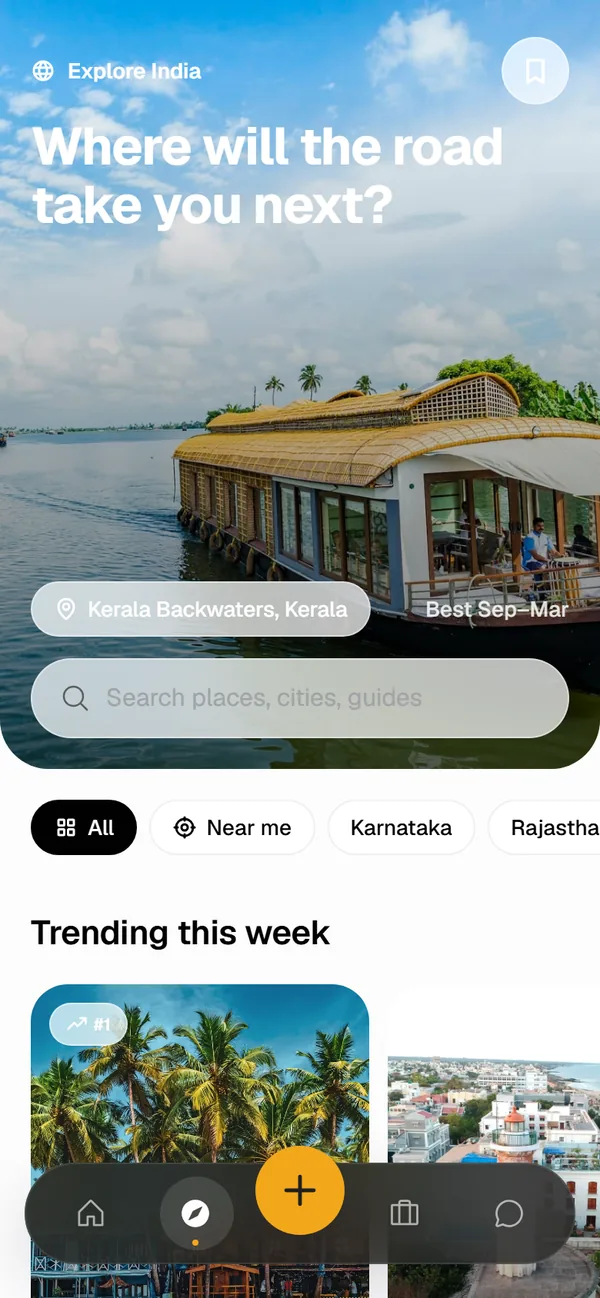
Explore screen with a houseboat on the Kerala backwaters, a search bar, region filters and trending places this week.
  • City Palace on Lake Pichola, UdaipurUdaipurLakes and palaces
  • Pangong Lake and mountains, LadakhLadakhHigh passes
  • Houseboat on the backwaters, AlappuzhaKerala backwatersHouseboats and canals
  • Hawa Mahal, JaipurJaipurForts and bazaars
  • Ghats on the Ganga at dawn, VaranasiVaranasiGhats on the Ganga
  • Tea estates on the hills, MunnarMunnarTea estates
  • Bookings in one place

    Flights, trains, buses, stays and more, with tickets attached. Forward a confirmation email to add a booking.

  • Packing lists

    Start from a template for the beach, the hills or winter, tick items off and assign them to people.

  • Notes and files

    Keep trip notes, ID copies and PDFs with the trip, so the group has them when it matters.

  • You choose who sees it

    New trips are private to the people you invite. Share a read-only link or make a trip public when you want to.

Get Chuni Trip Planner

Use the Android app or the web app. Sign in with the same account and your trips, chats and expenses are the same on both.

Android app

This is an Android file (APK). It does not install on iPhone or iPad, so use the web app instead.

Download the APK and install it on your Android phone. CTP is not on Google Play yet, so it is offered here directly.

Web app

Runs in your browser on phones, tablets and computers, with nothing to download. Add it to your home screen and it opens full screen, like any other app.

iPhone and iPad
Open the web app in Safari, tap Share, then Add to Home Screen.
Android
In Chrome, open the menu and tap Add to Home screen or Install app.
Computer
In Chrome or Edge, click the install icon in the address bar.

How to install the APK

Android asks for a couple of extra taps when an app does not come from Google Play. This takes about a minute.

To update later, download the new APK and install it over the old one. Your trips are saved in your account, not on the phone.

If Android says the app isn't compatible with your phone (some older or Android Go phones), download the version for older phones.

  1. Download the file

    Tap Download for Android on this page. If your browser asks whether to keep the file, choose Download anyway.

  2. Open it

    Tap the download notification, or open the Files app and find chuni-trip-planner.apk in Downloads.

  3. Allow installs from this app

    The first time, Android says it cannot install unknown apps. Tap Settings, turn on Allow from this source, then go back.

  4. Install

    Tap Install. If Play Protect warns about an unknown app, tap More details, then Install anyway.

  5. Open CTP and sign in

    Log in or create an account with your email. If you already use the web app, your trips are waiting.

Questions

Short answers to what people ask before they install.

Is CTP free?

Yes. Every feature is free, with no ads and no subscription. The planning assistant has a monthly request limit so the service stays free for everyone.

Can I use it on iPhone?

Yes, through the web app. There is no App Store version yet. Open the web app in Safari, tap Share, then Add to Home Screen. It then opens from your home screen like any other app.

Why is the Android app not on Google Play?

It is not listed on Google Play yet, so the APK is offered on this page. Android shows a warning for any app installed from outside Google Play. That warning is expected. Only download CTP from chuni-t-planner.tech-dev.in.

Do the app and the web app share my trips?

Yes. Sign in with the same account and your trips, chats and expenses are the same on every device.

Does everyone in the group need to install it?

Everyone needs a free account to join a trip. When you send an invite link, people can open it in any browser and use the web app, so nobody has to install anything.

Does CTP handle payments?

No. CTP works out who owes whom and keeps track of each payment's status. You pay each other the way you usually do, for example with UPI, and mark the payment as paid.

Is my data private?

New trips are visible only to the people you invite, unless you choose to share a trip by link or make it public. CTP shows no ads. You can download a copy of your data or delete your account from Settings at any time.

Your next trip, planned together

Start a trip, invite your group and build the plan in one place.